
02Project story
Kuwait Police Club
Club facilities, brought closer to members.
A visit starts before arrival. The Kuwait Police Club app brings facilities, accommodation options and booking entry points into one mobile experience with the club’s identity at its centre.
- Field
- Bookings & hospitality
- Experience
- Mobile application
 Inside the product
Explore club facilities
Compare chalet options
Choose from a campsite map
01 / The idea
A digital front door to the club.
The project presents the Kuwait Police Club through an interface organised around the places and services its members want to use. Chalets, swimming pools, campsites, events and news appear as distinct destinations rather than a long, undifferentiated list.
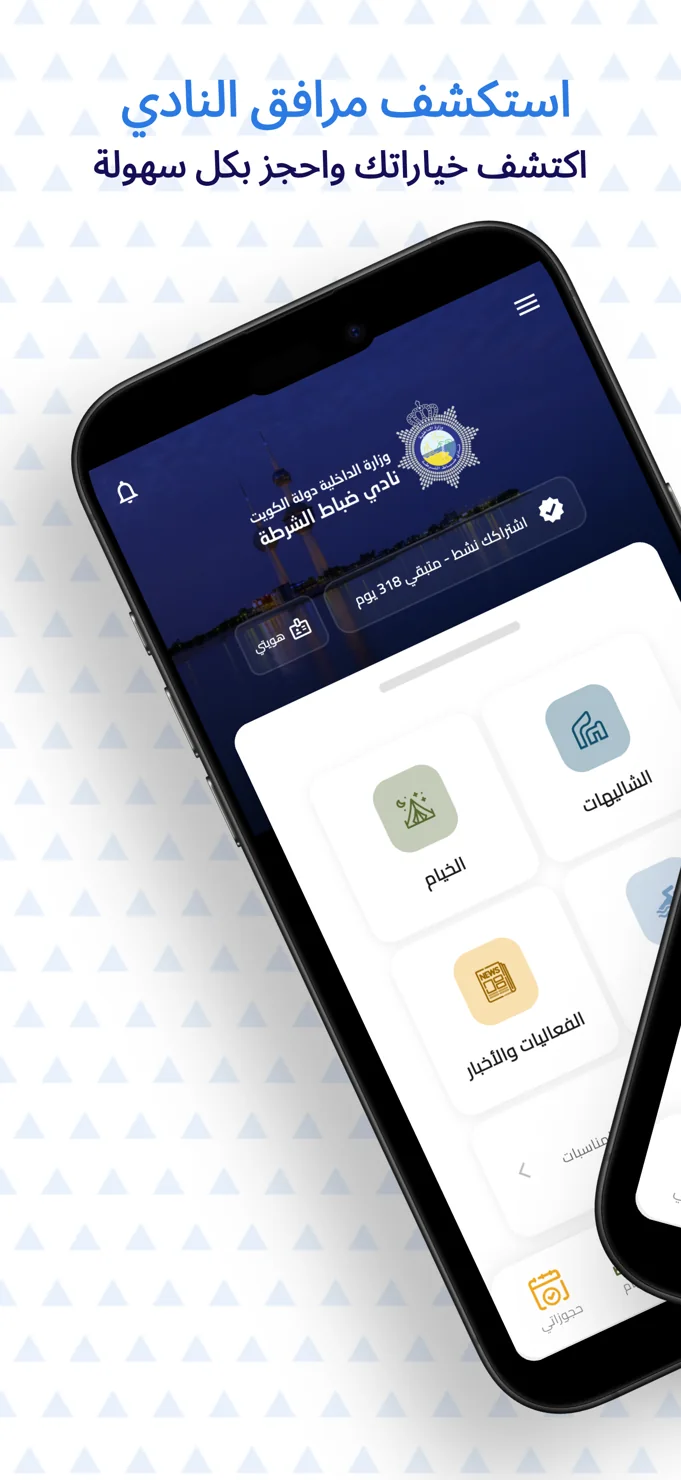
The home screen also gives membership information a visible place beside the club identity. This connects the member’s account with the facility directory and keeps the experience rooted in the organisation it represents. The app is both a guide to what the club offers and an entry point into its booking journey.
02 / The experience
Show the place before asking for a choice.
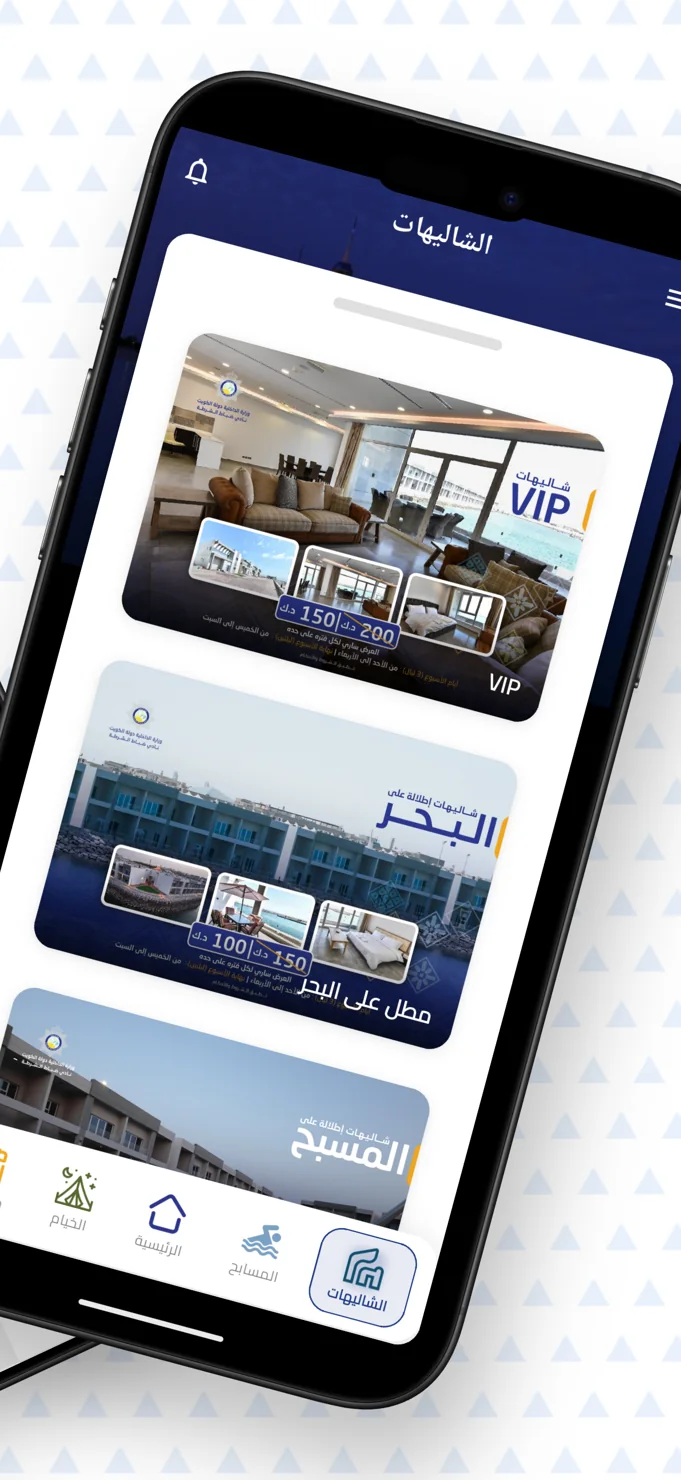
Choosing a facility is a visual decision. Visitors want to understand the setting and the differences between options before moving towards a reservation. The chalet screen answers that need with large photographs, named options and smaller image previews inside each presentation.
The campsite experience takes a different approach because location within the site matters. A map offers spatial context, while a clearly separated booking action gives the visitor an obvious next step. Each facility is presented in the form most useful for understanding it.
A facility directory becomes more useful when it shows the experience of the place, as well as its name.
03 / Key details
A member experience with clear destinations.
Facility navigation
Recognisable icons separate chalets, campsites, swimming pools and other club content. The bottom navigation keeps recurring destinations and personal bookings easy to identify.
Chalets presented through imagery
The accommodation view uses large visual cards and supporting images to show different settings, including sea-facing and pool-facing options. Displayed labels and prices sit with the imagery.
A map for campsite selection
The campsite screen includes a site map with an enlargement affordance and a booking button. The layout links the understanding of the grounds to the decision about a preferred location.
04 / The user journey
Explore, compare, then move to booking.
Start with the facility directory
Choose a club destination from the home screen while keeping membership information within the same experience.
Understand the available setting
Browse chalet photographs or inspect the campsite map to get a clearer picture of the place.
Continue to a reservation
Use the booking entry point, with a personal bookings destination available in the app’s navigation.
05 / The screens
A closer look inside.
Explore the interface, screen by screen. Select an image to see the detail.
The member’s home screen
Club identity, membership context and facility shortcuts establish a familiar starting point.
A closer look at the chalets
Large photographs and smaller previews help distinguish different accommodation settings.
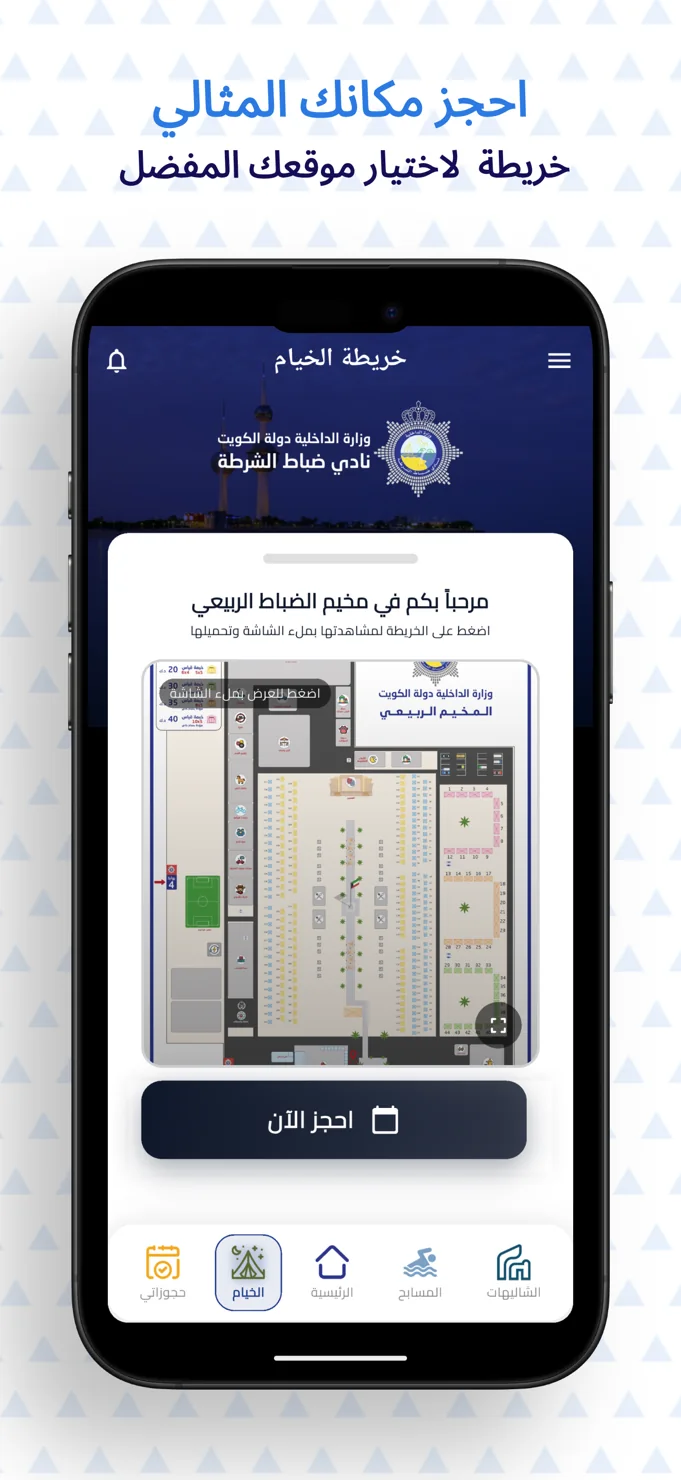
Campsite selection with context
A map of the grounds sits directly above the booking action.
06 / The design perspective
Respect the identity. Simplify the visit.
The club’s blue visual identity anchors the interface, while light content panels make facilities and their details easier to scan. The design keeps the organisation recognisable without letting the branding overwhelm the practical task of finding a place.
This project illustrates a useful approach to membership and hospitality apps: keep account context close, adapt the presentation to the facility, and give each discovery screen a clear continuation. The visitor should be able to move from curiosity to a considered choice.
Let’s discuss your project